


Features
TOP THINGS A GOOD CALENDAR NEEDS
- Beautiful
- Simple
- Advanced features
THE FEATURE LIST
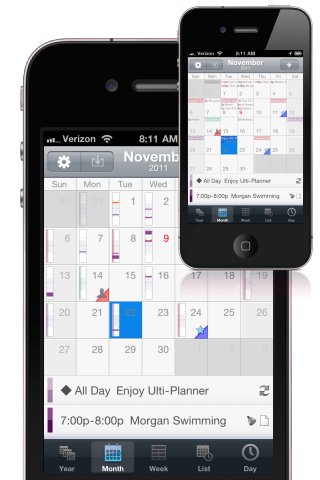
- Great tabbed views including year, month, week, upcoming agenda list, and timeline day.
- Advanced repeating event options.
- Move/Copy Events
- Event templates
- Inline editing of events
- Note link parsing
- Star important days
- Application badge support
- Military time, ISO week, and week start options.
- Uses the native calendar data
- Sync like you would with the default calendar(Google, MobileMe, Exchange).
- Use vertical time bars OR text on calendar.
- Filter events based on iCal calendars.
- TextExpander support
- Help System
|
Please check out the FAQ and other topics in the built-in help system at 'Settings > i > Help'.
What is the best way to ask for a feature or report a problem? Please email us at info@birdsoft.biz and we will try to get back to you. Or check us out on Twitter @birdsoft.
How do I sync to my Google Calendar(or other)?
How come I can't handle meeting requests and participants in Extreme Agenda?
Why can't I create calendars in Extreme Agenda?
How do alerts work?
Ulti-Planner has quit working?
You first should try closing the app in multi-tasking and doing a soft reset of the device. Sometimes removing the application completely and then re-installing it from the App Store might be your best bet. You will not have to pay for it again, although the button still says 'buy' but will tell you that you already own it when you start downloading. Consider making a backup of the sqlite database and if you are not worried about privacy of your templates then send us a copy of that database so we can give it a try and see if we can see if something in it is the problem, along with noting your settings for us. |
|
Version History
Version 1.0 Ulti-Planner - Nov 24, 2011.
|

© 2011 - Birdsoft LLC